For iPhone & iPad
Hear any document out loud.
Scan a page with your camera, import a PDF, paste text, or share a web link — and hear it read in 12 natural AI voices across 8 languages. Built accessibility-first for people with low vision, and for students and professionals who’d rather listen.
 3-day free trial
then $9.99/mo or $79.99/yr
Read Aloud+
Transform documents into audio
Home
Good afternoon.
What would you like to hear?
Scan a Document
Point your camera at any printed text and hear it read aloud.
Type or Paste Text
Import Document
Photo Library
Web Link
Reading document…
Honey never spoils. Archaeologists found 3,000-year-old honey in Egyptian tombs — still perfectly edible.
How it works
Three steps to listening
Point your camera — or import
Aim at any printed text — menus, letters, textbooks, prescriptions — and tap once. Or skip the camera: import a PDF, Word, or EPUB file, pick a photo, paste text, or share a web link.
Read Aloud+
Transform documents into audio
Home
Good afternoon.
What would you like to hear?
Scan a Document
Point your camera at any printed text and hear it read aloud.
Type or Paste Text
Import Document
Photo Library
Web Link
Reading document…
Honey never spoils. Archaeologists found 3,000-year-old honey in Egyptian tombs — still perfectly edible.
We process it
AI text recognition reads what eyes miss — handwriting, faded print, small text, complex layouts. Offline, on-device Apple Vision takes over. Scan up to 5 pages at a time.
Read Aloud+
Transform documents into audio
Home
Good afternoon.
What would you like to hear?
Scan a Document
Point your camera at any printed text and hear it read aloud.
Type or Paste Text
Import Document
Photo Library
Web Link
Reading document…
Honey never spoils. Archaeologists found 3,000-year-old honey in Egyptian tombs — still perfectly edible.
Listen naturally
Pick from 12 natural AI voices across 8 languages and set your speed from 0.5x to 2x. Preview any voice before you choose it, and your favorite is remembered per language. Follow along with word-by-word highlighting, or tap any word to jump there.
Read Aloud+
Transform documents into audio
Home
Good afternoon.
What would you like to hear?
Scan a Document
Point your camera at any printed text and hear it read aloud.
Type or Paste Text
Import Document
Photo Library
Web Link
Reading document…
Honey never spoils. Archaeologists found 3,000-year-old honey in Egyptian tombs — still perfectly edible.
Why ReadAloud+
Thoughtfully built for real life
Every feature exists because someone needed it. We obsessed over the details so you don’t have to.
12 natural AI voices
Choose from 12 natural AI voices across 8 languages — warm, clear, and remarkably human. Preview any voice before you pick it, and your favorite is saved per language. Offline, Apple’s built-in voices take over.
Reads what eyes miss
Handwriting, faded print, small text. AI text recognition reads the pages that strain your eyes — and on-device Apple Vision keeps you scanning when you’re offline.
Summary mode
No time for forty pages? Summary mode gives you the gist of a long document, read aloud in the voice you choose — so you get the point before you decide to hear the rest.
Clean listening
Smart Text Cleanup skips letterheads, addresses, barcodes, headers, and page numbers, so you hear the words that matter — not the clutter around them.
Five ways in
Scan with the camera, pick from Photos, import a PDF, Word, or EPUB file, paste text, or share a web link. Every path ends in the same reader.
Built for low vision
Oversized text, high-contrast color modes like Yellow on Black, wider line spacing, and VoiceOver support throughout. Playback keeps going when you switch apps or lock the screen.
Private by design — your documents are never stored on our servers. Works offline with on-device text recognition and voices. An honest trial, and cancel anytime in iOS Settings.
A closer look
See it on your screen
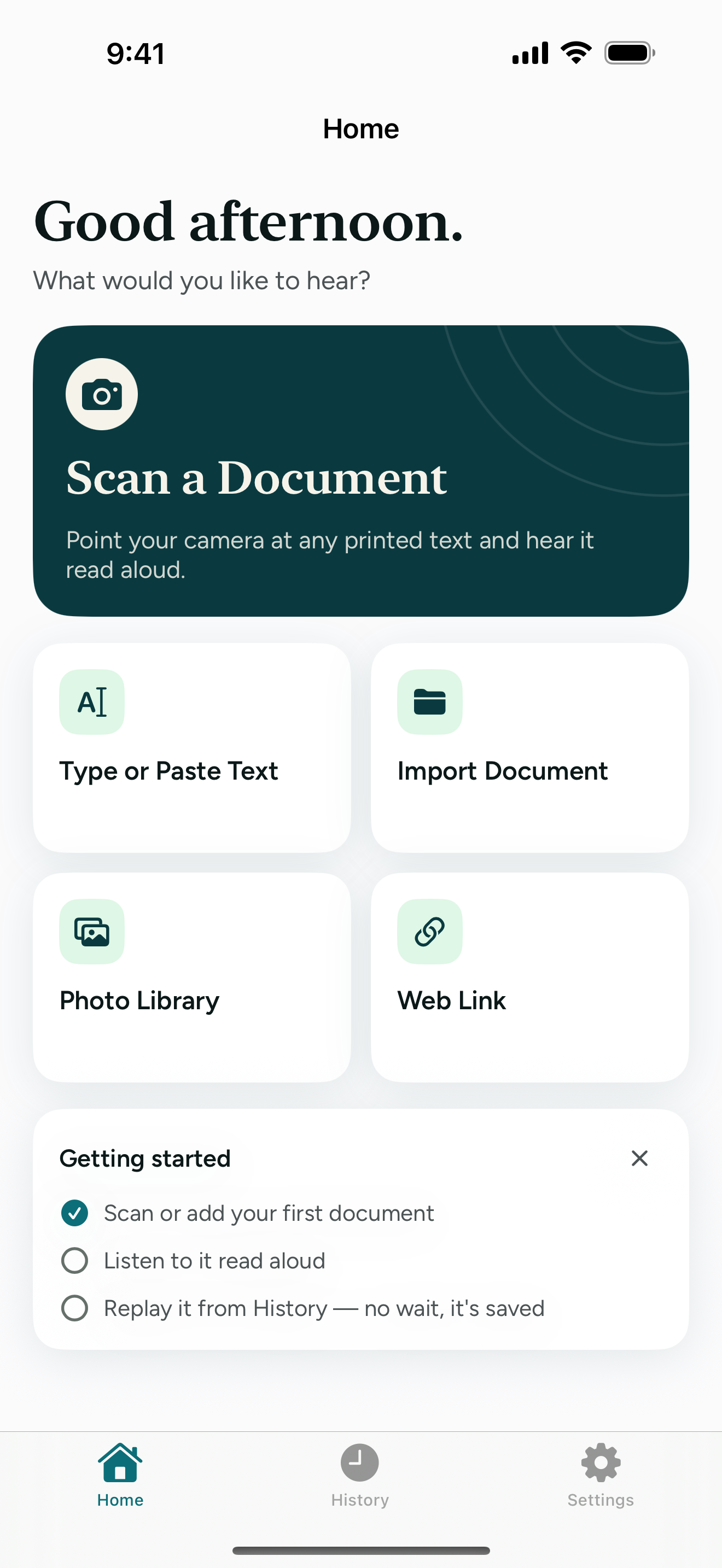
Five ways in, one reader out
Scan, pick a photo, import a PDF or document, paste text, or share a web link. Every path ends in the same reader.
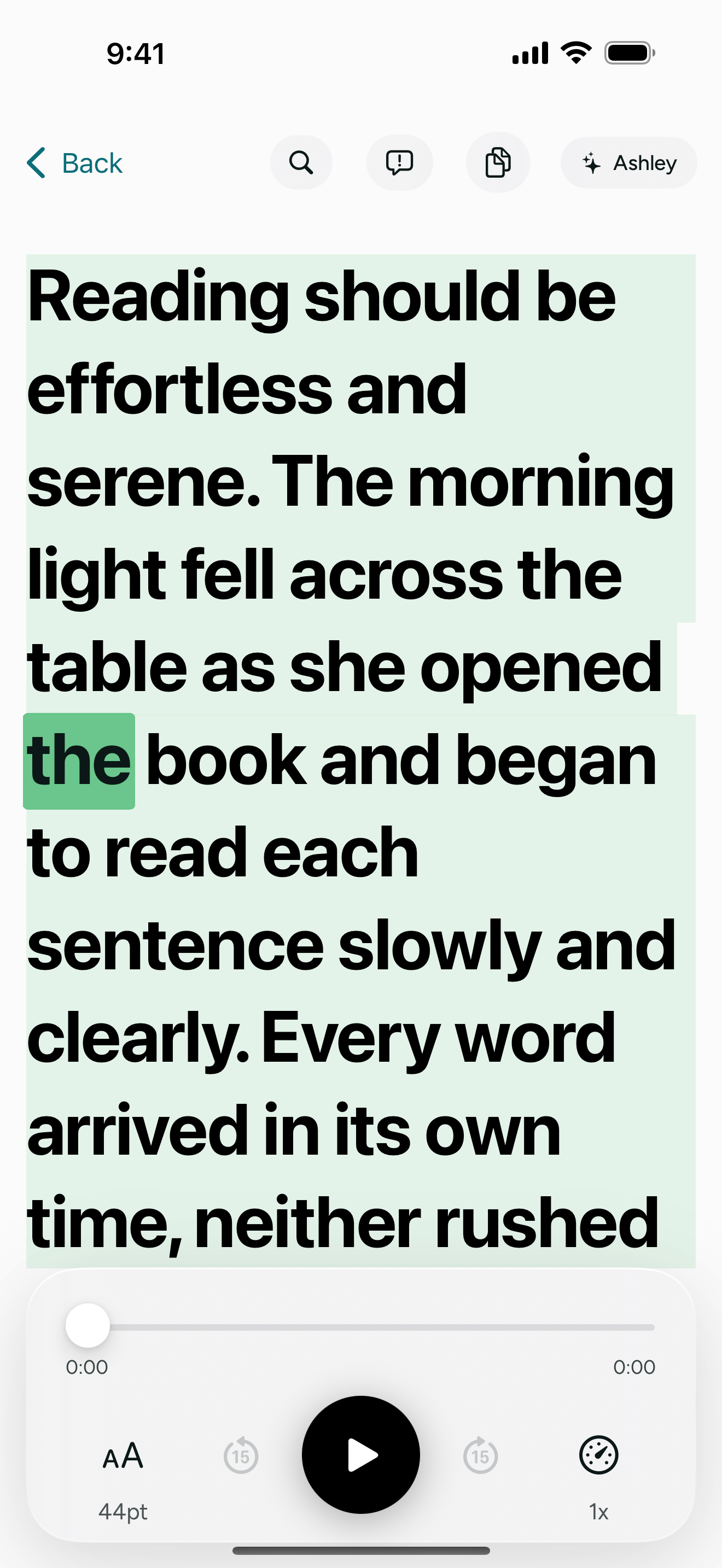
A calm, oversized reading view
Large, high-contrast text on a neutral page — built low-vision first. Follow along word by word, or tap any word to jump there.
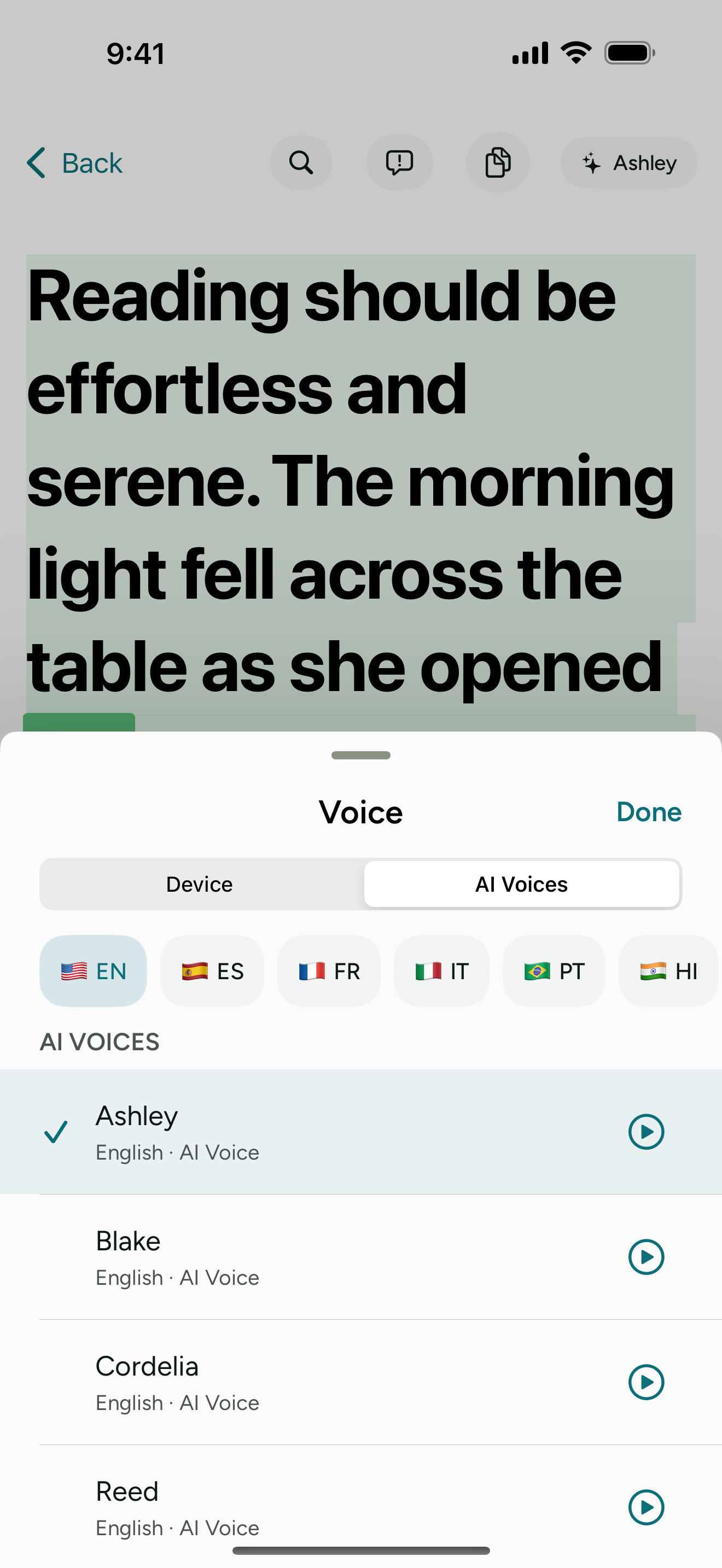
12 natural AI voices, 8 languages
Preview any voice before you pick it, and your favorite is saved per language. Device voices are always there too.
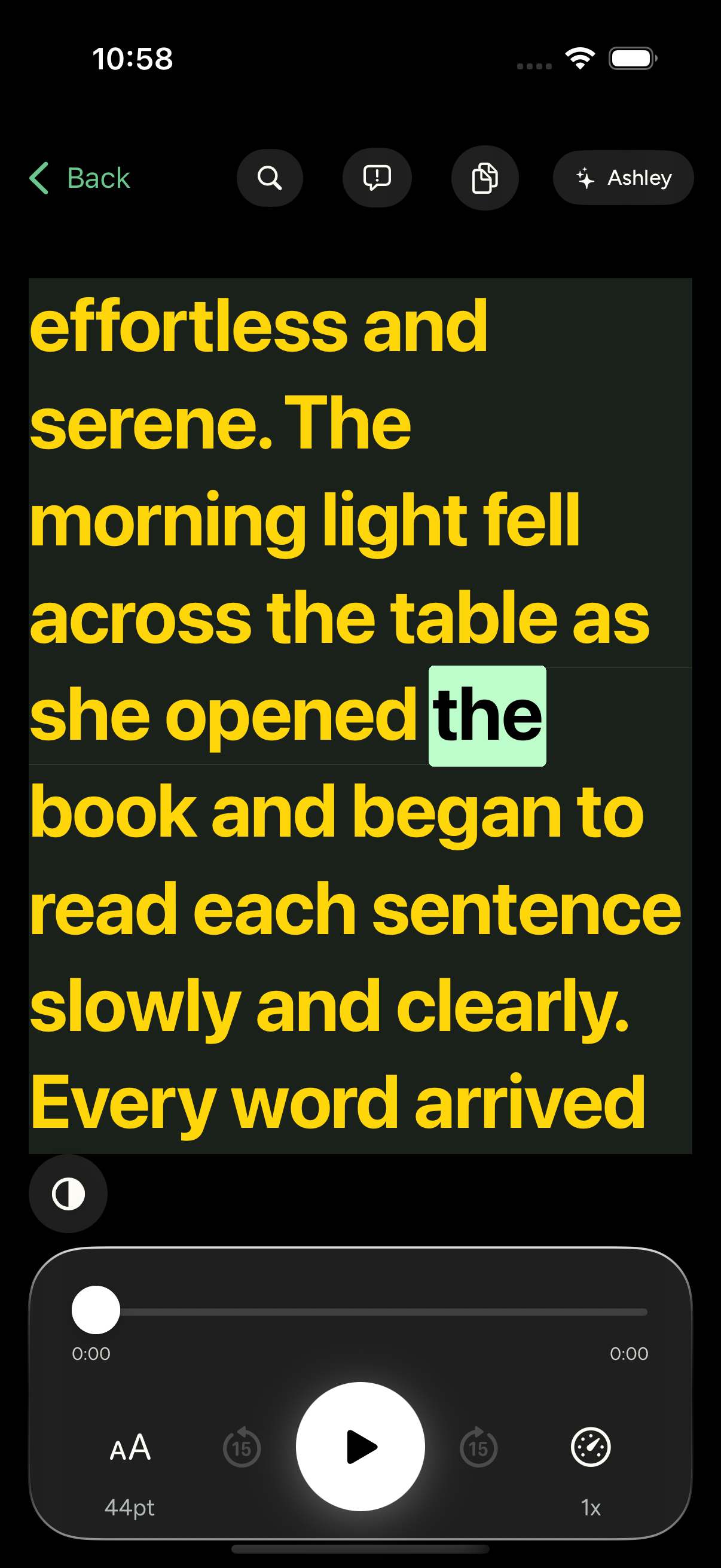
Your colors, your way
High-contrast color modes like Yellow on Black and Sepia, wider line spacing, and text that scales with Dynamic Type.
Built for how you actually use documents
Your world, spoken clearly
Read the fine print
Insurance forms, prescription labels, contracts. Text that matters but strains your eyes. Scan it and listen at your pace.
Hands-free studying
Turn textbook pages, lecture notes, and research papers into audio. Study while cooking, commuting, or resting your eyes.
Stay independent
Read your own mail, restaurant menus, and instruction manuals without asking for help. Your documents, your terms.
Start listening today
Try everything free for 3 days — the full experience, no limits. Keep it for $9.99/month or $79.99/year.
ReadAloud+
or $79.99/year — save 33%. Free for the first 3 days.
- 12 natural AI voices across 8 languages
- Preview any voice before you choose, with your favorite saved per language
- AI text recognition for handwriting, faded print, and small text
- Summary mode — the gist of long documents, read aloud
- Smart Text Cleanup — skips letterheads, barcodes, and page numbers
- Scan up to 5 pages at a time, or import PDF, Word, and EPUB files
- Word-by-word highlighting and tap any word to jump there
- Reader color modes, line spacing, and VoiceOver support
- Works offline with on-device text recognition and voices
After the 3-day free trial, your subscription auto-renews at $9.99/month or $79.99/year. Billed by Apple; cancel anytime in iOS Settings. Cancel during the trial and you pay nothing.
Support
Frequently asked questions
- How does ReadAloud+ scan and read documents?
- Point your camera at any printed text and tap to scan — or import a PDF, Word, or EPUB file, pick a photo, paste text, or share a web link. ReadAloud+ uses OCR (optical character recognition) to extract the text, then reads it aloud in the voice you choose. When you’re online it uses Google Gemini AI for high accuracy on challenging documents; offline it automatically falls back to on-device Apple Vision.
- Does ReadAloud+ work without an internet connection?
- Yes. When you’re offline, ReadAloud+ automatically falls back to on-device Apple Vision OCR and Apple system voices, so you can keep scanning and listening. An internet connection unlocks the higher-accuracy Google Gemini text recognition and the 12 natural AI voices.
- How natural do the AI voices sound?
- ReadAloud+ offers 12 natural AI voices across 8 languages — English (American and British), Spanish, French, Italian, Portuguese, Hindi, Japanese, and Mandarin. They’re warm, expressive, and remarkably close to natural human speech. You can preview any voice before you choose it, and the app lets you hear samples before you even create an account. Your favorite is saved per language, and you can set the speed from 0.5x to 2x. Apple system voices are used as an offline fallback.
- Is my scanned data private and secure?
- Yes. We never store your documents on our servers. Online, document images go to Google Gemini for text recognition and the extracted text goes to Inworld AI for speech; both process it only to provide the feature, and may retain request data for a limited period (up to about 90 days) under their own policies. On your device, documents you open are kept in the History tab so you can replay them, and generated audio is cached for fast replay — swipe to delete any item. We run no ads and do not track you across other apps. See our Privacy Policy for the full details.
- How does the free trial and subscription work?
- Every new subscriber gets a 3-day free trial with full access — Google Gemini OCR, all 12 voices, summary mode, everything. Apple sends a reminder before the trial ends, and if you cancel during the trial you pay nothing. After the trial, ReadAloud+ is $9.99/month or $79.99/year (save 33%). Your subscription is billed by Apple and auto-renews until you cancel in iOS Settings. An account (Sign in with Apple or Google) is required.
- What types of documents can ReadAloud+ scan?
- Any printed text: letters, bills, prescriptions, textbooks, menus, contracts, receipts, instruction manuals, and more. You can scan up to 5 pages at a time, and you can also import PDF, Word (.docx), and EPUB files, photos from your library, pasted text, and web articles. Online, Google Gemini text recognition reads what eyes miss — handwriting, faded print, small text, low contrast, and complex layouts.
- What devices and iOS versions are supported?
- ReadAloud+ is available for iPhone and iPad running iOS 18.5 or later. The app is optimized for all screen sizes and orientations.
- What does Smart Text Cleanup do?
- Smart Text Cleanup automatically skips letterheads, addresses, barcodes, headers, page numbers, and other page furniture from scanned documents, online and offline. This gives you a cleaner listening experience focused on the content that matters. You can toggle it on or off in Settings.
- What is Summary mode?
- Summary mode gives you the gist of a long document, read aloud. Instead of listening to every page of a contract, report, or article, you can hear a concise summary in the voice you choose — and then listen to the full document if you want the detail.
- How does History work?
- Every document you open is saved on your device in the History tab — scanned, imported, pasted, or from a web link — along with how far you got. Tap one to replay it; its audio is cached, so playback starts right away. A mini player keeps the last document playing while you browse, and you can search History by title. Swipe left on an item to delete it.
- Can I change how the reader looks?
- Yes. The reader shows oversized text and follows Dynamic Type, and you can pick a high-contrast color mode such as Yellow on Black, White on Black, or Sepia, and widen the line spacing. VoiceOver is supported throughout the app.